

Free Meal Planning App!
a cookbook companion app to make your life easier!

Ever have trouble remembering which cookbook or page number you saw a recipe in that you were hoping to make? Or stared at your fridge trying to figure out how to use up that leftover bunch of asparagus or pound of ground beef?
My free cookbook companion app - Shop the Book - will solve those problems for you and it is a free download from the Apple app store, or the Google Play Android app store. No in-app purchases or upgrades required!
Fun fact: My husband Ryan built this app for you! After hearing me struggle to remember which recipes were in which book and their page numbers, he came up with the idea. We also wanted a tool to help with meal planning, grocery lists, and something more portable than carrying an entire cookbook.
Shop the Book App now has ALL SIX of my cookbooks loaded into it – including my newest release Make It Easy. This means you can create meal plans and access ALL of the book recipes digitally from your phone or device. This has been my dream for a long time, and I’d ultimately also love for cookbooks authored by others to be accessible on the app too
Features
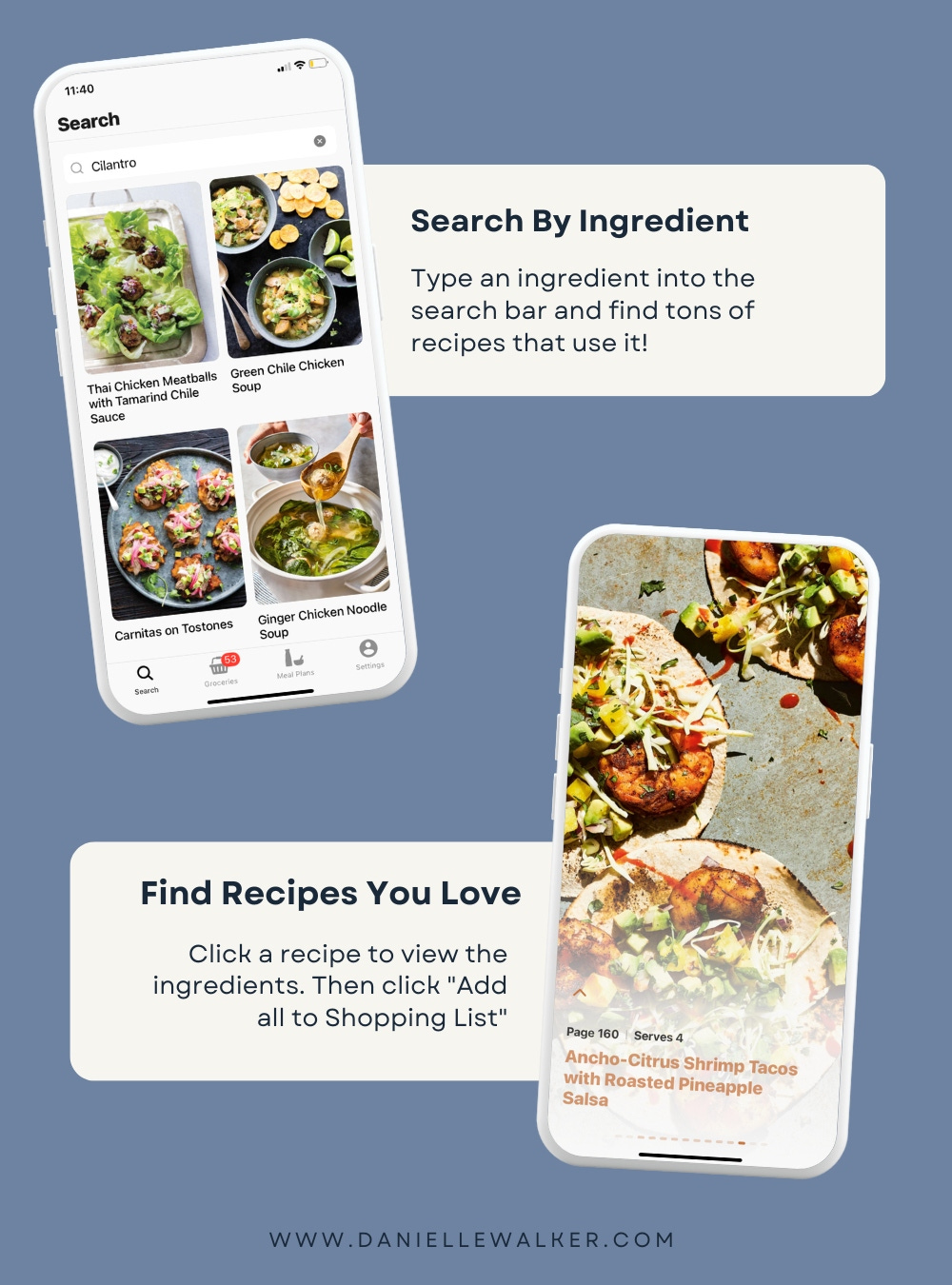
• Want to use up a specific ingredient? Tap the search bar (under the BOOKS icon) to find recipes with it—like Thai Chicken Meatballs, Carnitas on Tostones, and Green Chile Chicken Soup.
• To create your shopping list, tap a recipe, scroll to the bottom, and click “Add All to Shopping List.”
*The app will calculate ingredient totals if they appear in multiple recipes.
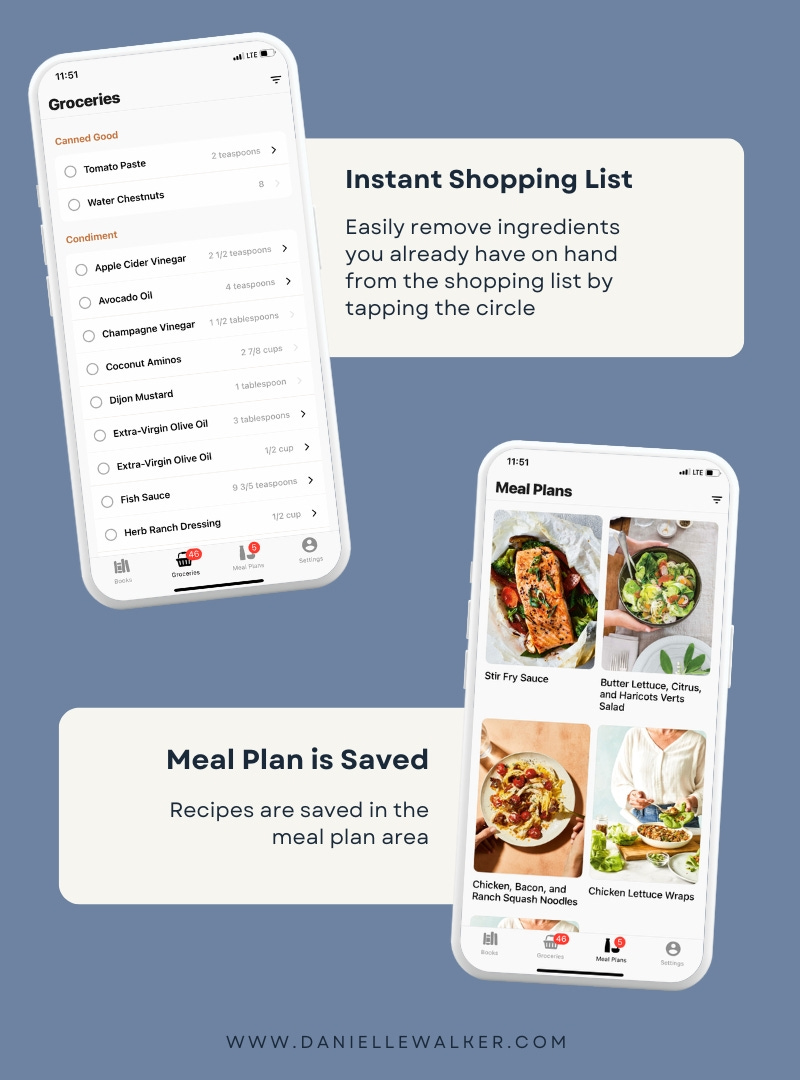
• Once added, the recipe appears in your MEAL PLANS area. Tap to view your meal plan.
• Save recipes for later by tapping the heart next to the title. It’ll go to your saved list for easy access.
• Need to add non-recipe items (like soap)? Just type it in the search bar and the app will offer to add it to your list.
HOW TO GET IT
The app is called Shop the Book and it is a free download from the Apple app store, or the Google Play Android app store. Just search for “Shop the Book” or “Danielle Walker”. However, it is important to note that the app is a companion to the cookbooks. Meaning, you still need the cookbooks in order to view the full recipes.
Meal Planning Tips
You can add as many recipes as you’d like to this area, but I generally like to stick to 4-6 recipes at a time. Having more than that tends to distract me. But this system has been a game-changer for me!
Here’s my process:
I sit down for a few quiet minutes (where I can find them, haha) and I add 4-6 recipes to my meal plan for the week. I head to my “bookmarks” tab at the bottom and peruse the recipes I’ve favorited. After that, I look in my fridge and see if I have anything to use up. I use the search bar on the home screen to search for ingredients like broccoli, cilantro, or coconut milk (the most common things I have laying around), and pick a couple of recipes to utilize those. I add all ingredients to my shopping cart with the tap of a button (which automatically populates your Meal Plan tab), and then give it a glance to see if I already have any of the items listed.
To remove an item from the list, simply tap the check mark. Once you’ve tapped the items you don’t need to buy, you can tap the menu button on the top right corner. This will ask you if you want to remove completed items. Click that and you’ll see those items you don’t need to purchase removed from your shopping list. This doesn’t remove the ingredient from the recipe, of course, just the shopping list.
Happy meal planning and enjoy!
Are you an app user? I’d love to hear what you love about it! And if you have a brief moment to go leave a review on the App Store, that would be so helpful!
Fantastic app use it all the time .
Excellent resource for the “which book was that in” moment!